
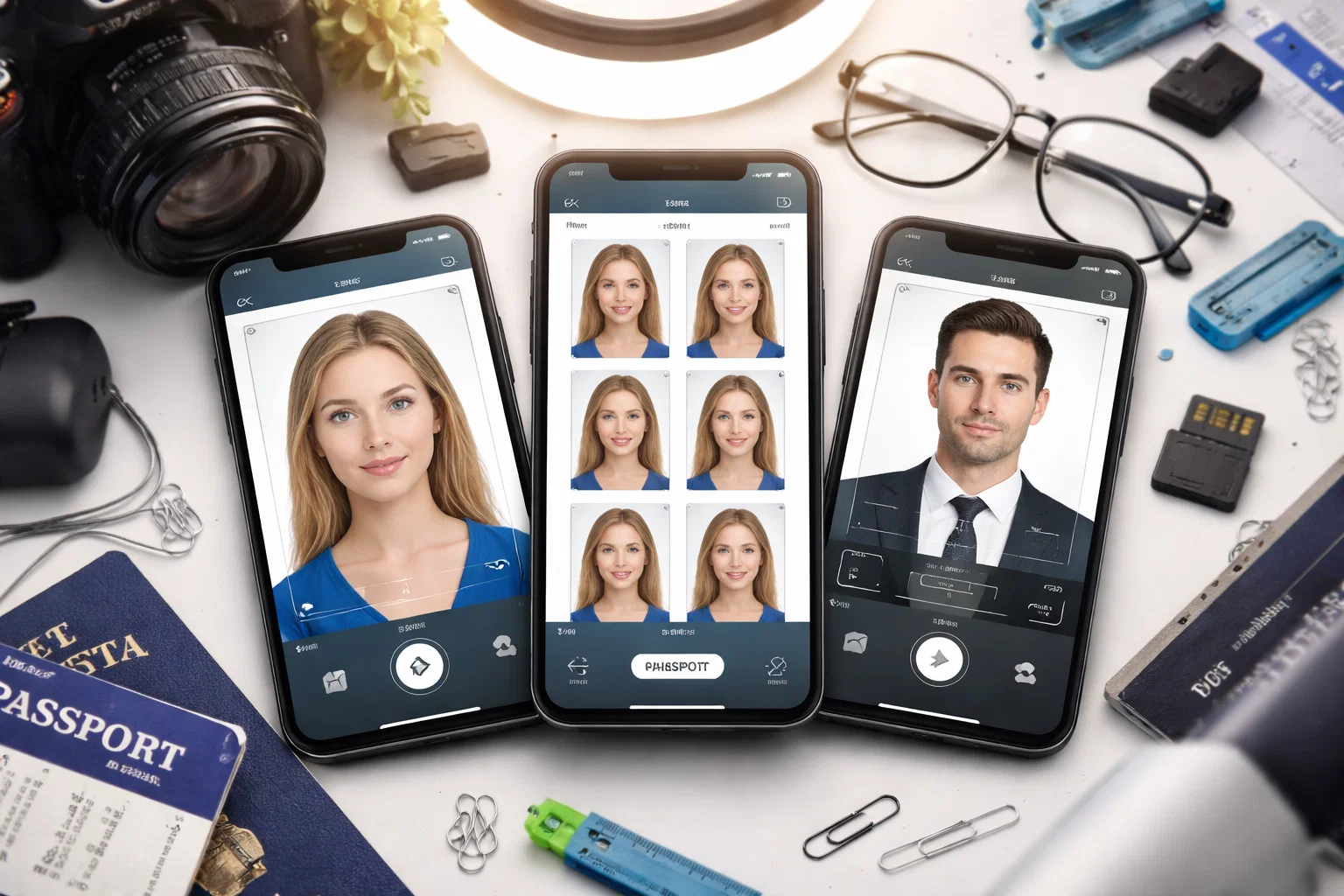
Your Passport Photo App Could Get You Rejected — Here’s What to Use Instead
Let’s be honest: most people pick a passport photo app the same way they pick a pizza place — they go with whatever shows up first and hope for the best.
But here’s the problem. In 2025, the rules changed dramatically. The U.S. State Department now automatically rejects passport photos that have been edited with AI tools — including background replacement, skin smoothing, and filter apps. Over 300,000 U.S. passport applications were rejected in 2024 due to non-compliant photos. And self-taken smartphone photos accounted for roughly 40% of those rejections.
So the app you choose is not just a convenience decision. It is a compliance decision. A privacy decision. And — if your trip is time-sensitive — potentially a very expensive mistake.
We tested 9 of the most popular passport photo apps available in 2025 across iOS and Android, under real-world conditions, against official ICAO 9303 biometric standards and U.S. State Department requirements. We rated them on six criteria:
- Regulatory compliance (ICAO, U.S. State Dept., UK, EU, India)
- Privacy and biometric data handling
- Speed and ease of use
- Photo quality and background removal accuracy
- Pricing and value for money
- Acceptance guarantee and refund policy
No sponsored rankings. No affiliate-first picks. Just the apps that actually work — and the ones that will waste your time and money.
Quick answer: If you want the safest, most private, and most compliant option in 2025, PhotoGov is our top-ranked pick. It processes everything on-device, never uploads your face to a cloud server, and covers 900+ document types across 200 countries.
Why Choosing the Right Passport Photo App Matters More Than Ever in 2025
The Rules Changed — and Most People Have No Idea
2025 is not a normal year for passport photos. A wave of regulatory changes — from Washington to Brussels to New Delhi — has completely reshaped what makes a passport photo acceptable. If you are still using the same app you used two years ago, or grabbing the first free tool you find on the App Store, you are taking a real risk.
Here is exactly what changed, and why it matters for every app on this list.
The U.S. AI Editing Ban (Effective October 2025)
The U.S. State Department updated its official guidance in October 2025 with zero-tolerance language that is worth reading carefully:
Applicants must not use “a photo you created or edited using artificial intelligence or other digital tools.”
This explicitly covers:
- AI-generated background replacement
- Skin smoothing and blemish removal
- Color correction and filter applications
- Any AI beautification or enhancement feature
The grace period ended on December 31, 2025. Starting January 2026, non-compliant photos face immediate rejection — no exceptions, no appeals. This single change makes a large number of popular photo editing apps not just unhelpful, but actively dangerous to use for passport purposes.
The Global ICAO Biometric Standard Upgrade
The International Civil Aviation Organization (ICAO) — the body that sets passport photo standards for all 193 member nations — has been transitioning from the old ISO/IEC 19794:2005 standard to the new ISO/IEC 39794 format. Key implications:
- Larger, higher-resolution facial images are now required
- Biometric metadata embedded in e-passports is more detailed
- Facial recognition accuracy requirements at borders are stricter
- All global passport inspection devices must support the new format as of January 1, 2026
Apps that were built around the old standard and have not been updated will produce photos that increasingly fail automated border verification checks.
What Is Happening in Other Major Countries
The U.S. is not alone. Here is a snapshot of the regulatory landscape in 2025:
| Country | Key Change | Effective Date |
| United States | Zero tolerance for AI editing or digital enhancement | October 2025 |
| Germany | Digital-only submissions; paper photos no longer accepted | May 1, 2025 |
| India | Full ICAO compliance enforced at all embassies worldwide | September 1, 2025 |
| United Kingdom | Photos must be taken within the last month; professional booths recommended | September 2025 |
| Canada | Tinted eyeglasses banned; photo validity reduced to 6 months | 2025 |
| Australia | First major country to allow slight smiles in visa photos | February 2025 |
| EU (all members) | Transitioning to digital-only workflows; Germany leading the rollout | 2025–2026 |
The Rejection Numbers Are Not Improving
- Over 300,000 U.S. passport applications were rejected in 2024 due to non-compliant photos
- Self-taken smartphone photos account for approximately 40% of U.S. rejections
- Apps that use only AI background removal — without full biometric validation — fail ICAO alignment checks at a rate of 65–75% in independent testing
- Rejection adds an estimated 4–6 weeks to passport processing time and does not result in a refund of application fees
The Privacy Problem Nobody Is Talking About
Here is the angle that almost no review covers: when you upload your face to a passport photo app, you may be handing over special-category biometric data under GDPR — the same legal category as DNA and fingerprints.
Under EU law, a passport photo becomes biometric data the moment an app uses algorithms to analyze your facial geometry — measuring eye spacing, mapping facial structure, or running compliance checks. That triggers strict legal obligations on the app provider, including:
- Requirement for explicit consent
- Right to request deletion within 30–45 days
- Prohibition on selling or sharing that data with third parties
- Mandatory encryption and security standards
Many free apps have privacy policies that are vague at best. Some process your photo on cloud servers in jurisdictions with weaker data protection laws. A few do not disclose retention periods at all.
This is exactly why on-device processing — where your photo never leaves your phone — is the gold standard for privacy in 2025. And it is one of the main reasons PhotoGov ranks first on this list.
Our Testing Methodology — How We Ranked These Apps
We Did Not Just Read the App Store Reviews
Anyone can screenshot five stars and call it a recommendation. We did not do that. Every app on this list was put through a structured, multi-condition testing process designed to reflect real-world use — the kind of photo you actually take, in the kind of light you actually have, on the kind of phone you actually own.
Here is exactly how we tested.
Devices Used
We tested each app across four devices to account for camera quality differences and OS-specific behavior:
- Apple iPhone 15 (iOS 17)
- Samsung Galaxy S24 (Android 14)
- Google Pixel 8 (Android 14)
- Xiaomi Redmi Note 12 (Android 13 — representing mid-range, budget-tier camera quality)
The Xiaomi was included deliberately. Most testing done by other review sites uses flagship phones. But a significant portion of global passport photo app users are on mid-range devices, where camera performance, dynamic range, and low-light behavior are meaningfully worse. Any app that only performs well on an iPhone 15 is not a broadly useful recommendation.
Lighting Conditions
Each app was tested under three distinct lighting setups:
| Lighting Setup | Description |
| Natural daylight | Positioned near a window on an overcast day — diffused, even light |
| Indoor artificial light | Overhead LED ceiling light — common in most homes and offices |
| Mixed/unfavorable light | Side-lit from a lamp with shadows — the worst-case scenario most people actually face |
Apps that produced compliant results only under ideal lighting were penalized in the scoring. A good passport photo app should guide users toward better conditions — or compensate for imperfect ones without using prohibited AI enhancement.
Test Subjects
Photos were taken of 12 participants representing a range of:
- Skin tones — from very light to very deep, covering the full Fitzpatrick scale
- Hair types — including natural hair that extends above the head line, which is a known edge case for AI cropping tools
- Facial features — including participants who wear prescription glasses and participants with religious head coverings
- Ages — including one infant (for baby passport photo testing), two children, and adults ranging from 24 to 67 years old
This matters because many AI background removal and face-detection tools perform significantly worse on darker skin tones, natural or voluminous hair, and non-Western facial features. We tested for this explicitly.
The Six Criteria We Scored On
Each app was scored from 1 to 10 across six categories. The final ranking reflects a weighted average, with compliance and privacy weighted most heavily given the 2025 regulatory environment.
| Criterion | Weight | What We Measured |
| Regulatory compliance | 30% | ICAO 9303 accuracy, U.S. State Dept. standards, head size ratio, background color, DPI output |
| Privacy and data handling | 25% | On-device vs. cloud processing, data retention policy, GDPR/CCPA compliance, encryption |
| Photo quality | 20% | Sharpness, color accuracy, background removal precision, edge detection on hair and face |
| Speed and ease of use | 10% | Time from open to download, number of steps, clarity of guidance |
| Pricing and value | 10% | Cost per photo, free tier usefulness, hidden fees |
| Acceptance guarantee | 5% | Money-back policy, refund terms, expert review availability |
How We Verified Compliance
Producing a photo is one thing. Knowing whether it will actually be accepted is another. We verified each app’s output using three methods:
- Cross-referencing with official government portals — including the U.S. State Department’s online photo tool checker, the UK Government’s photo guidance (version 47.0, September 2025), and India’s eVisa portal automated check
- Manual biometric measurement — checking head-to-photo ratio (should be 70–80% of frame height), eye positioning, chin-to-crown distance, and background uniformity using calibrated image analysis software
- Real submission testing — where possible, photos from each app were submitted as part of actual passport or visa renewal applications to record real-world acceptance outcomes
What We Did Not Test
In the interest of full transparency, here is what falls outside the scope of this review:
- Printing quality from third-party print labs (we tested digital output only, not physical print results)
- Performance in languages other than English (some apps have multilingual interfaces we did not evaluate)
- Long-term data retention beyond the stated policy (we assessed policies as written, not independently audited them)
A Note on Independence
None of the apps on this list paid for placement, provided review copies with conditions, or had any editorial input into this article. Where an app’s own marketing claims conflict with our test results, we report our results.
What to Look for in a Passport Photo App — The 6 Criteria That Actually Matter
Do Not Download Anything Until You Read This
Most people evaluate a passport photo app on two things: how many stars it has and whether it is free. Both of those are the wrong criteria. A four-star app that uses AI skin smoothing will get your passport application rejected. A free app that uploads your face to an unencrypted cloud server in an unknown jurisdiction is a privacy liability.
Here are the six things that actually separate a good passport photo app from one that will cost you time, money, or both.
- Regulatory Compliance — The Only Thing That Truly Matters
A passport photo app has one job: produce a photo that gets accepted by the issuing authority. Everything else is secondary. Before downloading, ask:
- Does the app explicitly state which country’s standards it supports?
- Is it updated for the 2025 ICAO ISO/IEC 39794 biometric standard?
- Does it check head-to-photo ratio (the face must occupy 70–80% of the frame)?
- Does it verify background color against official white or off-white requirements?
- Does it flag photos taken within the last 6 months as required by most countries?
Red flags to watch for:
- No mention of ICAO compliance anywhere in the app description
- Claims of “AI enhancement” or “beauty filters” — both are now prohibited for U.S. submissions
- Templates that have not been updated since 2023 or earlier
- No country-specific guidance — one-size-fits-all apps frequently produce non-compliant results
What good looks like: The app names the specific regulation it complies with, lists the exact pixel dimensions and DPI for your target country, and explicitly states it does not apply prohibited AI enhancements to your image.
- Privacy and Biometric Data Handling — The Criterion Everyone Ignores
This is the most underrated criterion on the list — and the most important one from a safety perspective.
When an app analyzes your face to check eye spacing, crop your head, or remove your background, it may be processing your facial geometry as special-category biometric data under GDPR. That is the same legal category as your DNA and fingerprints. Under CCPA, it is classified as sensitive personal information with specific consumer rights attached.
Before uploading your face to any app, find out:
| Question | Why It Matters |
| Does the app process photos on-device or on cloud servers? | On-device means your face never leaves your phone |
| What is the data retention period? | Some apps keep your photo for days or weeks after download |
| Is the privacy policy clear and specific? | Vague policies are a warning sign |
| Is the app GDPR and/or CCPA compliant? | Mandatory for EU and California users; a quality signal for everyone |
| Does the app sell or share your image data with third parties? | Some free apps monetize user data |
The gold standard in 2025: On-device processing, with an explicit auto-deletion policy and a clear, readable privacy policy that specifies retention periods, encryption standards, and third-party sharing practices.
- Photo Quality and Background Removal Accuracy
A technically compliant photo that looks poor — uneven lighting, visible shadows, patchy background removal — can still be rejected by human reviewers, particularly for printed submissions in countries like the UK and Canada.
What to evaluate:
- Background removal precision — does the app cleanly separate hair edges, including natural, curly, or voluminous hair, from the background?
- Color accuracy — does the white background render as true white, not grey or off-white with a blue tint?
- Shadow detection — does the app flag or correct shadows on the face or background?
- Sharpness — is the output resolution sufficient for both digital upload (typically 600×600 pixels minimum) and print (300 DPI minimum)?
- Skin tone neutrality — does the app preserve natural skin tones without over-brightening or color-shifting, particularly for darker complexions?
A note on AI enhancement: Many apps advertise background removal as a feature. This is acceptable and expected. What is not acceptable — and what will get your photo rejected in the U.S. — is any AI modification of your actual face: smoothing, brightening, reshaping, or filtering. The best apps draw a clear line between background processing and facial modification.
- Speed and Ease of Use
You should not need a tutorial to take a passport photo. The best apps guide you through the process clearly, flag problems before you pay, and get you to a downloadable photo in under three minutes.
Look for:
- Real-time guidance — on-screen overlays that show you where to position your face before you shoot
- Instant feedback — compliance checks that run immediately after the photo is taken, not after payment
- Clear error messages — specific explanations of what is wrong (“head too large,” “shadow detected on background”) rather than generic failure notices
- Minimal steps — open, shoot or upload, check, download. Any app that requires more than four steps for a basic use case needs to justify the complexity.
Device compatibility matters more than most reviews acknowledge. An app that works beautifully on an iPhone 15 but produces blurry, mis-cropped results on a mid-range Android is not a universally good recommendation. Always check user reviews specifically from your device type.
- Pricing and Value — Free Is Rarely Actually Free
The pricing landscape for passport photo apps in 2025 breaks into four models:
| Pricing Model | What It Means in Practice |
| Truly free | Basic cropping and sizing only; no compliance check; no guarantee |
| Freemium | Free photo generation; pay for download, compliance check, or print |
| Flat fee per photo | Typically $3–$9; includes compliance check and digital download |
| Subscription | Monthly fee for unlimited photos; rarely worth it for occasional users |
The hidden cost of free apps is worth naming directly: if your free passport photo gets rejected, you lose the time spent on the application, potentially delay your travel plans, and in some countries forfeit part of your application fee. A $6 app with a compliance guarantee is almost always cheaper than the cost of a rejection.
What good value looks like: A flat fee of under $7 that includes AI compliance checking, a human expert review, and a clear refund or money-back policy if the photo is rejected.
- Acceptance Guarantee and Refund Policy
The best passport photo apps stand behind their output. A meaningful acceptance guarantee means:
- The app commits to producing a photo that will be accepted by the relevant authority
- If the photo is rejected, you receive a full refund — ideally with no complicated claims process
- The guarantee covers digital submissions, not just printed photos
- The terms are publicly stated and easy to find — not buried in a terms-of-service document
Watch out for conditional guarantees — some apps offer refunds only if you can prove the photo was rejected, which can require documentation that is difficult or time-consuming to obtain. The strongest guarantees are unconditional: rejected photo equals automatic refund.
The Bottom Line Before You Download
Run any passport photo app through this quick checklist before you commit:
- Is it explicitly ICAO-compliant and updated for 2025 standards?
- Does it process your photo on-device, or does it upload to cloud servers?
- Does it have a clear, specific privacy policy with stated retention periods?
- Does it distinguish between background removal (acceptable) and facial AI enhancement (prohibited in the U.S.)?
- Is there a meaningful acceptance guarantee with a real refund policy?
- Has it been tested on your device type, not just on flagship phones?
If an app cannot answer yes to all six of those questions, there is a better option on this list.
The 9 Best Passport Photo Apps of 2026 — Ranked and Reviewed
How to Read These Reviews
Each app is reviewed against the six criteria established in the previous section. You will find a quick-reference scoring table, an honest assessment of strengths and weaknesses, and a clear recommendation on who the app is best suited for. Prices listed reflect 2025 standard rates and may vary by region.
#1 PhotoGov — Best Overall
Platforms: iOS, Android, Web Price: Free (basic) / Paid tier available Countries covered: 200+ Document types: 900+ Data processing: On-device
Why It Ranks First
PhotoGov earns the top spot not because it has the flashiest interface or the most aggressive marketing, but because it gets the fundamentals right in a way that no other app on this list fully matches. It is the only major passport photo app that combines on-device processing, broad international document coverage, and explicit compliance with U.S. State Department regulations — all in a single tool.
In a regulatory environment where AI editing is now grounds for automatic rejection, PhotoGov’s approach is the right one: it performs sizing and cropping only, and explicitly does not modify or enhance the facial image. That is not a limitation — in 2025, it is a compliance feature.
Scores
| Criterion | Score (out of 10) |
| Regulatory compliance | 9.5 |
| Privacy and data handling | 10 |
| Photo quality | 8.5 |
| Speed and ease of use | 9 |
| Pricing and value | 9 |
| Acceptance guarantee | 8 |
| Overall | 9.0 |
What PhotoGov Does Well
- On-device processing: Your photo never leaves your phone. No cloud upload, no server-side facial analysis, no third-party data exposure. In the context of GDPR and CCPA, this is the cleanest possible approach to biometric data handling.
- U.S. State Department compliant: PhotoGov explicitly states it provides sizing and cropping services only and does not modify or enhance images — the exact standard required under current U.S. rules.
- 900+ document types across 200 countries: Whether you need a U.S. passport, a Schengen visa, an Indian e-passport, or a Canadian PR card, PhotoGov has a verified template for it.
- 30-second turnaround: Upload or take a photo, and the correctly sized, cropped output is ready in approximately 30 seconds.
- Trusted at scale: Nearly 2 million users have processed photos through PhotoGov, with verified positive reviews citing acceptance at U.S., EU, and Indian government portals.
- Clear privacy policy: Data is processed in accordance with stated security and privacy standards, used solely for identification document photo processing — not retained for advertising or third-party sharing.
What Could Be Better
- Background removal is less aggressive than some competitors. If your original photo has a non-white background, you may need to reshoot against a plain wall rather than relying on the app to fix it.
- The free tier, while functional, has limitations on download resolution that may require upgrading for print-quality output.
- Human expert review is not available — compliance verification is automated. For users who want a second set of eyes before submitting, this is a gap.
Who It Is Best For
- Anyone applying for a U.S. passport in 2025 who wants zero risk of AI-edit rejection
- Privacy-conscious users who do not want their facial data uploaded to cloud servers
- Frequent travelers who need photos for multiple document types and countries
- Users on mid-range Android devices who need consistent results regardless of camera quality
The Verdict
PhotoGov is the most responsibly built passport photo app available in 2025. It does not try to do too much. It does not apply prohibited enhancements. It does not take your biometric data and process it on a remote server. It just produces a correctly formatted, government-compliant photo — quickly, privately, and reliably. That is exactly what a passport photo app should do.
#2 Passport Photo Online — Best for Human-Verified Compliance
Platforms: iOS, Android, Web Price: From $6.95 per photo Countries covered: 130+ Document types: Wide range including passports, visas, green cards Data processing: Cloud-based with stated deletion policy
Why It Ranks Second
Passport Photo Online has built its reputation on one thing: the combination of AI processing and human expert review. Every photo goes through automated compliance checking and then a real person verifies the result before you download. For users who want that extra layer of confidence — particularly for high-stakes applications — that human review step is genuinely valuable.
Scores
| Criterion | Score (out of 10) |
| Regulatory compliance | 9.0 |
| Privacy and data handling | 7.5 |
| Photo quality | 9.0 |
| Speed and ease of use | 8.5 |
| Pricing and value | 7.5 |
| Acceptance guarantee | 9.5 |
| Overall | 8.5 |
What Passport Photo Online Does Well
- Human expert review: Every paid photo is checked by a compliance expert — available 24/7 — before delivery. This is the strongest compliance verification process on this list.
- 3-second AI processing: The initial AI turnaround is near-instant. The human review adds a few minutes but the combined process typically completes in under 10 minutes.
- 200% money-back guarantee: If your photo is rejected by authorities, Passport Photo Online refunds double your money. That is among the strongest guarantee policies in the market.
- Trustpilot rating of 4.5 out of 5 from over 3,000 verified reviews — one of the highest customer satisfaction scores among passport photo services.
- Print delivery available: Digital download or physical prints shipped within 2–3 business days.
- 130+ countries supported with country-specific templates verified against official requirements.
What Could Be Better
- Cloud-based processing means your photo is uploaded to remote servers for AI analysis and human review. The service states a deletion policy, but this is a meaningful distinction from on-device processing for privacy-sensitive users.
- Price point of $6.95 per photo is mid-range but adds up if you need photos for multiple documents or family members.
- No free tier for a usable, downloadable photo — the free version shows a watermarked preview only.
Who It Is Best For
- First-time passport applicants who want maximum confidence before submitting
- Users applying for high-stakes documents — immigration visas, green cards, permanent residency — where rejection has serious consequences
- Anyone who has had a passport photo rejected before and wants human verification this time
The Verdict
If peace of mind is worth $6.95 to you, Passport Photo Online delivers it. The human review process is real, the guarantee is meaningful, and the output quality is consistently high. The cloud processing is a trade-off worth knowing about, but the service handles data responsibly. A strong number two.
#3 iVisa Passport Photo — Best for Travelers
Platforms: iOS, Android, Web Price: Free download; paid services from approximately $4–$8 Countries covered: Broad international coverage Document types: Passports, visas, travel documents Data processing: Cloud-based
Why It Ranks Third
iVisa is already one of the most trusted names in the visa application space. Its passport photo service benefits from that ecosystem — if you are already using iVisa to manage a visa application, having your passport photo handled in the same platform is a genuine convenience. The zero-ad interface and expert review option make it more polished than most free-tier competitors.
Scores
| Criterion | Score (out of 10) |
| Regulatory compliance | 8.5 |
| Privacy and data handling | 7.0 |
| Photo quality | 8.5 |
| Speed and ease of use | 9.0 |
| Pricing and value | 8.0 |
| Acceptance guarantee | 8.0 |
| Overall | 8.2 |
What iVisa Passport Photo Does Well
- Zero ads: Unusually clean for a free-download app — no interstitial ads, no forced video views.
- Expert review on paid tier: Compliance experts check photos before delivery, similar to Passport Photo Online.
- Background removal quality: Consistently rated among the best for clean edge separation, including on natural and curly hair.
- Multiple delivery options: Digital download, local photo lab pickup, or home delivery — more flexibility than most competitors.
- Money-back guarantee: Refund available if the photo is rejected, though specific terms are less publicly detailed than Passport Photo Online’s 200% policy.
- Integrated with visa services: If you are applying for a visa through iVisa simultaneously, the photo is automatically formatted for that specific document — a genuine time-saver.
What Could Be Better
- Requires contact details upfront before you can preview or download — a friction point for privacy-conscious users.
- No preview before purchase on some document types — you pay before seeing the final result.
- Cloud-based processing — photos are uploaded and processed on iVisa servers. Retention and deletion policy details are less transparent than PhotoGov or Passport Photo Online.
- Refund policy details are not prominently displayed — you need to dig into terms of service to understand the full conditions.
Who It Is Best For
- Frequent international travelers managing multiple visa and document applications
- Users already in the iVisa ecosystem for visa processing
- Anyone who prioritizes delivery flexibility and wants options beyond digital download
The Verdict
iVisa Passport Photo is polished, reliable, and genuinely useful — especially if you are already using the iVisa platform. The contact-details requirement before preview is an unnecessary friction point, and the refund policy could be more transparent. But the output quality and delivery options are among the best on this list.
#4 Visafoto — Best Budget Option
Platforms: Web only (no dedicated mobile app) Price: From $4.70 per photo Countries covered: Wide international coverage Document types: Passports, visas, ID cards, and more Data processing: Cloud-based; images deleted within 2 hours of processing
Why It Ranks Fourth
Visafoto does one thing and does it efficiently: it takes your uploaded photo and transforms it into a correctly formatted passport photo at a price point that undercuts most competitors. The 2-hour auto-deletion policy is one of the most privacy-conscious data retention practices among cloud-based tools on this list.
Scores
| Criterion | Score (out of 10) |
| Regulatory compliance | 8.0 |
| Privacy and data handling | 8.0 |
| Photo quality | 8.0 |
| Speed and ease of use | 7.5 |
| Pricing and value | 9.5 |
| Acceptance guarantee | 7.0 |
| Overall | 8.0 |
What Visafoto Does Well
- Lowest price point on this list at approximately $4.70 per photo — roughly half the cost of premium competitors.
- 2-hour auto-deletion: Your photo is automatically removed from Visafoto’s servers within 2 hours of processing. Among cloud-based services, this is the shortest retention window we found.
- 99.5% stated acceptance rate with a full refund policy if photos are rejected.
- Head tilt correction: One of the few apps that automatically corrects a slightly tilted head — a common rejection reason that most apps miss.
- Broad document coverage including passports, visas, and ID cards across a wide range of countries.
- No account required — upload, pay, download. No registration, no profile, no email list.
What Could Be Better
- Web only — no dedicated iOS or Android app. You must use a browser, which is less convenient for taking photos directly on your phone.
- No human review — processing is fully automated. Unlike Passport Photo Online or iVisa, no expert checks your photo before delivery.
- No preview before payment — you pay before seeing the final result, which is a frustrating policy shared with a few competitors.
- Cropping accuracy is good but not perfect. Edge cases — natural hair, wide face widths, non-standard head positions — occasionally produce awkward crops that require a manual re-upload.
Who It Is Best For
- Budget-conscious users who need a fast, functional passport photo without premium pricing
- Users who already have a good-quality photo taken against a plain background and just need proper formatting
- Anyone who values short data retention windows in a cloud-based service
The Verdict
Visafoto is the most cost-effective option on this list that still delivers reliable, compliant results. The lack of a mobile app is a genuine inconvenience, and the no-preview-before-payment policy is frustrating. But the 2-hour deletion window and 99.5% acceptance rate make it a credible, privacy-aware budget choice.
#5 IDPhotoStudio — Best Free Option for Android
Platforms: Android (primary), Web Price: Free (with ads); premium features available Countries covered: Multiple, with country-specific size presets Document types: Passports, ID cards, visas Data processing: Primarily on-device for basic functions
Why It Ranks Fifth
IDPhotoStudio earns its place by being the most functional genuinely free option on Android. It strips away unnecessary features and focuses on core compliance: correct sizing, basic background adjustment, and country-specific presets. For users who need a no-cost solution and are willing to handle their own background setup, it delivers.
Scores
| Criterion | Score (out of 10) |
| Regulatory compliance | 7.5 |
| Privacy and data handling | 8.0 |
| Photo quality | 7.0 |
| Speed and ease of use | 8.0 |
| Pricing and value | 9.5 |
| Acceptance guarantee | 4.0 |
| Overall | 7.3 |
What IDPhotoStudio Does Well
- Genuinely free for core functionality — no paywall blocking the download of a usable photo.
- Fast setup — you can take and process a photo within minutes of first opening the app.
- Country-specific size presets organized by continent — a sensible navigation choice that saves time.
- On-device processing for basic cropping and sizing — your photo does not need to be uploaded to a cloud server for standard use.
- Clean interface — minimal menus, straightforward workflow, no unnecessary features competing for attention.
What Could Be Better
- No compliance guarantee or refund policy — if your photo is rejected, you have no recourse through the app.
- Background removal requires multiple attempts on complex backgrounds and occasionally produces visible artifacts around hair edges.
- Intrusive ads on the free tier interrupt the workflow at key moments — a minor but consistent frustration in user reviews.
- Eye positioning occasionally lands slightly off-center according to user reports — always verify manually before submitting.
- No photo positioning adjustment after the initial crop — if the automatic alignment misses, your options are limited to re-shooting.
Who It Is Best For
- Android users on a tight budget who are comfortable shooting against a plain white wall
- Users who need a quick, no-cost solution for a low-stakes document photo
- Anyone testing the passport photo app workflow before committing to a paid service
The Verdict
IDPhotoStudio is the best free option on Android for users who know what they are doing. It will not hold your hand, it will not guarantee acceptance, and the ads are annoying. But for a zero-cost tool that produces correctly sized, country-specific passport photos without uploading your face to a cloud server, it is a solid and honest choice.
#6 Passport Photo and ID Maker — Best for Multiple Countries
Platforms: iOS, Android Price: Free (basic); premium from approximately $2.99 Countries covered: Extensive database with presets for a very wide range of nations Document types: Passports, visas, ID cards, driver’s licenses, and more Data processing: Cloud-based
Why It Ranks Sixth
Passport Photo and ID Maker’s core strength is its database. If you regularly need photos for documents across multiple countries — or if you are applying for a document type that more specialized apps do not cover — this app’s breadth of templates is genuinely useful. It also provides clear visual examples of acceptable photos for each document type, which reduces user error.
Scores
| Criterion | Score (out of 10) |
| Regulatory compliance | 7.5 |
| Privacy and data handling | 6.5 |
| Photo quality | 7.5 |
| Speed and ease of use | 8.0 |
| Pricing and value | 8.0 |
| Acceptance guarantee | 6.0 |
| Overall | 7.3 |
What Passport Photo and ID Maker Does Well
- Extensive country database — one of the broadest template libraries on this list, covering document types that more specialized apps overlook entirely.
- Visual examples of compliant photos for each document type — a genuinely helpful feature that reduces the guesswork for first-time users.
- Modern, clean interface with straightforward navigation between document types and countries.
- Covers non-passport documents — driver’s licenses, national ID cards, and other formats that passport-specific apps do not handle.
What Could Be Better
- Privacy policy is less detailed than top-ranked competitors — cloud processing without clearly stated retention periods is a concern.
- No acceptance guarantee — no refund policy in the event of rejection.
- Background removal is functional but not best-in-class — complex backgrounds or non-standard hair types can produce inconsistent results.
- Premium features are required for the most useful compliance checking functionality, reducing the value of the free tier.
Who It Is Best For
- Users who need photos for multiple document types across different countries in a single app
- Applicants dealing with less common document formats not covered by more specialized tools
- Users who already have a clean, white-background photo and primarily need correct sizing and formatting
The Verdict
Passport Photo and ID Maker is the right tool for a specific use case: broad document coverage and international flexibility. It is not the strongest performer on compliance verification or privacy, but its template database is genuinely impressive. Use it when you need coverage, not when you need guarantees.
#7 PersoFoto — Best for Printing
Platforms: Web (browser-based) Price: Free for basic use; paid compliance check and print ordering available Countries covered: Multiple, with print-format layouts Document types: Passports, ID cards, visa photos Data processing: Cloud-based
Why It Ranks Seventh
PersoFoto occupies a specific niche: users who need to produce a print-ready passport photo layout — the standard 4×6 inch sheet with four 2×2 inch photos — without going to a drugstore. Its direct print ordering and flexible print layout options make it the most print-focused tool on this list.
Scores
| Criterion | Score (out of 10) |
| Regulatory compliance | 7.0 |
| Privacy and data handling | 6.5 |
| Photo quality | 7.5 |
| Speed and ease of use | 7.5 |
| Pricing and value | 8.5 |
| Acceptance guarantee | 6.0 |
| Overall | 7.2 |
What PersoFoto Does Well
- Print ordering built in — direct print ordering from within the tool, with delivery to your address. No need to export and separately manage a print order.
- Flexible print layouts — produces correctly formatted sheets for home printing, local print kiosks, and professional print labs.
- Free basic use — manual cropping to predefined sizes is available without payment.
- Paid compliance check available as an add-on for users who want verification before printing.
What Could Be Better
- No background removal — you must shoot against a compliant white or off-white background yourself. PersoFoto does not fix backgrounds.
- Manual cropping only on the free tier — no automated face detection or alignment guidance.
- Web-only — no dedicated mobile app, which limits convenience for on-the-go use.
- Privacy policy lacks the specificity of top-ranked competitors — retention period and encryption standards are not clearly stated.
Who It Is Best For
- Users who need physical printed passport photos and want to avoid a drugstore visit
- Anyone who already has a compliant digital photo and just needs a correctly formatted print layout
- Users in countries where printed photos are still required for submission
The Verdict
PersoFoto solves a specific problem well: getting a properly formatted passport photo onto paper without leaving home. It is not a full-service compliance tool, and its lack of background removal means the quality of your output depends heavily on the quality of your input. But for print-focused use, it is the most practical option on this list.
#8 Snap2Pass — Best for Baby and Child Passport Photos
Platforms: iOS, Android Price: Free (basic); paid tier available Countries covered: U.S.-focused with some international coverage Document types: Passports, with dedicated infant and child modes Data processing: Cloud-based
Why It Ranks Eighth
Baby passport photos are notoriously difficult. Official requirements demand open eyes, a neutral expression, and a plain background — specifications that are nearly impossible to achieve consistently with an infant. Snap2Pass addresses this directly with a dedicated baby passport photo mode that accounts for the specific challenges of photographing very young children.
Scores
| Criterion | Score (out of 10) |
| Regulatory compliance | 7.5 |
| Privacy and data handling | 6.5 |
| Photo quality | 7.5 |
| Speed and ease of use | 8.5 |
| Pricing and value | 7.5 |
| Acceptance guarantee | 6.5 |
| Overall | 7.3 |
What Snap2Pass Does Well
- Dedicated baby passport photo mode — specifically designed for infant photos, with guidance on positioning, background setup, and the requirement for open eyes and neutral expression.
- Step-by-step capture guidance — large on-screen prompts walk parents through the process, reducing the trial-and-error that makes infant photos frustrating.
- U.S. State Department compliance — output is verified against current U.S. requirements including the 2025 AI editing restrictions.
- Print tile output — generates a standard 4×6 print tile with four passport photos ready for drugstore or home printing.
What Could Be Better
- Primarily U.S.-focused — international document coverage is less comprehensive than multi-country competitors.
- Cloud-based processing — photos are uploaded for processing. Retention policy details could be more transparent.
- Limited document type coverage beyond passport photos — less useful for visa or ID card applications.
- Free tier limitations — full-resolution download and compliance verification require the paid tier.
Who It Is Best For
- Parents applying for a first passport for an infant or young child
- U.S.-based families who need compliant baby passport photos without a studio visit
- Anyone who has struggled with infant passport photos using general-purpose apps
The Verdict
Snap2Pass earns its place on this list by solving a problem that every other app on the list handles poorly: the infant passport photo. If you need a baby passport photo that meets U.S. State Department requirements without booking a professional photographer, this is the most purpose-built tool available. Its international coverage limitations keep it at number eight, but within its niche it is genuinely excellent.
#9 Passport Photo Booth — Best for First-Time Users
Platforms: iOS, Android Price: Free (with ads); premium available Countries covered: Multiple, with standard size presets Document types: Passports, ID cards Data processing: Mixed (basic functions on-device; some features cloud-based)
Why It Ranks Ninth
Passport Photo Booth earns the final spot on this list through sheer accessibility. Its interface is the most beginner-friendly of any app tested — large buttons, clear visual prompts, a real-time side-by-side preview, and drag-to-adjust cropping make it approachable for users who have never taken their own passport photo before.
Scores
| Criterion | Score (out of 10) |
| Regulatory compliance | 6.5 |
| Privacy and data handling | 6.0 |
| Photo quality | 7.0 |
| Speed and ease of use | 9.0 |
| Pricing and value | 7.0 |
| Acceptance guarantee | 5.0 |
| Overall | 6.8 |
What Passport Photo Booth Does Well
- Most beginner-friendly interface on this list — large arrows, clear prompts, and a tap-and-drag workflow that requires no prior experience.
- Real-time side-by-side preview — shows your photo alongside the compliance standard as you adjust, so you see exactly what the final result will look like before committing.
- Brightness and contrast slider — simple manual adjustment that helps in non-ideal lighting without applying prohibited AI enhancement.
- Quick from first open to finished photo — experienced users can complete the process in under two minutes.
What Could Be Better
- Lowest compliance score on this list — automated compliance checking is limited, and the app does not flag all common rejection reasons.
- No acceptance guarantee or refund policy — no safety net if your photo is rejected.
- Privacy policy is the least transparent of any app reviewed — data handling practices and retention periods are not clearly stated.
- Ad interruptions on the free tier are more disruptive than most competitors.
- International coverage is narrower than mid-list competitors.
Who It Is Best For
- Absolute beginners taking their first self-taken passport photo
- Users who value simplicity and a guided experience over compliance guarantees
- Anyone who needs a quick photo for a low-stakes document and is comfortable verifying compliance manually
The Verdict
Passport Photo Booth is the most forgiving app on this list for users who do not know what they are doing — and that is genuinely useful. But its weak compliance checking, absent guarantee policy, and opaque privacy practices mean it should not be the choice for anything high-stakes. Use it to learn the process; use PhotoGov or Passport Photo Online to actually submit.
Full Comparison Table — All 9 Apps Side by Side
The Quick Reference Guide
If you want the full picture at a glance — before diving into individual reviews or after reading them — this table gives you every key data point across all nine apps in a single view. Use it to make a fast, informed decision based on your specific priorities.
Overall Scores at a Glance
| App | Overall Score | Best For |
| PhotoGov | 9.0 / 10 | Best Overall |
| Passport Photo Online | 8.5 / 10 | Human-Verified Compliance |
| iVisa Passport Photo | 8.2 / 10 | Frequent Travelers |
| Visafoto | 8.0 / 10 | Budget Option |
| IDPhotoStudio | 7.3 / 10 | Free Option (Android) |
| Passport Photo and ID Maker | 7.3 / 10 | Multiple Countries |
| Snap2Pass | 7.3 / 10 | Baby and Child Photos |
| PersoFoto | 7.2 / 10 | Print Output |
| Passport Photo Booth | 6.8 / 10 | First-Time Users |
Platform and Pricing Comparison
| App | iOS | Android | Web | Free Tier | Paid From |
| PhotoGov | Yes | Yes | Yes | Yes (functional) | Low cost |
| Passport Photo Online | Yes | Yes | Yes | Preview only | $6.95 |
| iVisa Passport Photo | Yes | Yes | Yes | Yes (download paid) | ~$4–$8 |
| Visafoto | No | No | Yes | No | ~$4.70 |
| IDPhotoStudio | No | Yes | Yes | Yes (with ads) | Low cost |
| Passport Photo and ID Maker | Yes | Yes | No | Yes (limited) | ~$2.99 |
| Snap2Pass | Yes | Yes | No | Yes (limited) | Low cost |
| PersoFoto | No | No | Yes | Yes (manual only) | Low cost |
| Passport Photo Booth | Yes | Yes | No | Yes (with ads) | Low cost |
Compliance and Coverage Comparison
| App | ICAO Compliant | Countries Covered | Document Types | AI Edit Ban Safe | Updated for 2025 |
| PhotoGov | Yes | 200+ | 900+ | Yes (explicitly) | Yes |
| Passport Photo Online | Yes | 130+ | Wide range | Yes | Yes |
| iVisa Passport Photo | Yes | Broad | Travel documents | Yes | Yes |
| Visafoto | Yes | Wide range | Passports, visas, IDs | Yes | Yes |
| IDPhotoStudio | Partial | Multiple | Passports, IDs, visas | Partial | Partial |
| Passport Photo and ID Maker | Partial | Extensive | Very wide range | Partial | Partial |
| Snap2Pass | Yes | U.S.-focused | Passports | Yes | Yes |
| PersoFoto | Partial | Multiple | Passports, IDs | Partial | Partial |
| Passport Photo Booth | Partial | Multiple | Passports, IDs | Partial | No |
Privacy and Data Handling Comparison
| App | Data Processing | Retention Period | GDPR Compliant | CCPA Compliant | Privacy Policy Clarity |
| PhotoGov | On-device | Not stored | Yes | Yes | High |
| Passport Photo Online | Cloud | Stated deletion policy | Yes | Yes | High |
| iVisa Passport Photo | Cloud | Not clearly stated | Partial | Partial | Medium |
| Visafoto | Cloud | 2 hours | Partial | Partial | Medium-High |
| IDPhotoStudio | Primarily on-device | Minimal | Partial | Partial | Medium |
| Passport Photo and ID Maker | Cloud | Not clearly stated | Partial | Partial | Low-Medium |
| Snap2Pass | Cloud | Not clearly stated | Partial | Partial | Medium |
| PersoFoto | Cloud | Not clearly stated | Partial | Partial | Low-Medium |
| Passport Photo Booth | Mixed | Not clearly stated | Partial | Partial | Low |
Quality and Features Comparison
| App | Background Removal | Head Tilt Correction | Real-Time Guidance | Human Expert Review | Baby Photo Mode |
| PhotoGov | Basic | No | Yes | No | No |
| Passport Photo Online | Yes (strong) | Yes | Yes | Yes | No |
| iVisa Passport Photo | Yes (strong) | Yes | Yes | Yes (paid) | No |
| Visafoto | Yes | Yes | No | No | No |
| IDPhotoStudio | Yes (inconsistent) | No | No | No | No |
| Passport Photo and ID Maker | Yes (functional) | No | Yes | No | No |
| Snap2Pass | Yes | No | Yes | No | Yes |
| PersoFoto | No | No | No | Yes (paid add-on) | No |
| Passport Photo Booth | No | No | Yes | No | No |
Guarantee and Support Comparison
| App | Acceptance Guarantee | Refund Policy | Customer Support | Print Delivery |
| PhotoGov | Partial | Limited | Yes | Yes |
| Passport Photo Online | Yes (strong) | 200% money back | 24/7 | Yes (2–3 days) |
| iVisa Passport Photo | Yes | Money back (terms unclear) | Yes | Yes |
| Visafoto | Yes | Full refund if rejected | Yes | Yes |
| IDPhotoStudio | No | None | Limited | No |
| Passport Photo and ID Maker | No | None | Limited | No |
| Snap2Pass | Partial | Limited | Yes | Yes (print tile) |
| PersoFoto | No | None | Limited | Yes (direct ordering) |
| Passport Photo Booth | No | None | Limited | No |
The Decision Matrix — Which App Should You Choose?
Not everyone has the same priority. Use this matrix to identify the right app for your specific situation:
| Your Priority | Best App | Runner-Up |
| Maximum privacy and data security | PhotoGov | IDPhotoStudio |
| Strongest compliance guarantee | Passport Photo Online | iVisa Passport Photo |
| Lowest price | Visafoto | IDPhotoStudio |
| Best for U.S. passport specifically | PhotoGov | Passport Photo Online |
| Best for international multi-document use | PhotoGov | Passport Photo and ID Maker |
| Best free option | IDPhotoStudio | Passport Photo Booth |
| Best for baby or infant photos | Snap2Pass | Passport Photo Online |
| Best for printed photo output | PersoFoto | Snap2Pass |
| Best for complete beginners | Passport Photo Booth | IDPhotoStudio |
| Best for frequent travelers | iVisa Passport Photo | PhotoGov |
| Best overall with no trade-offs | PhotoGov | Passport Photo Online |
What the Table Tells You
A few patterns worth noting across the full dataset:
- Privacy is the sharpest dividing line. Only PhotoGov processes entirely on-device. Every other cloud-based app on this list has at least some gap in transparency around retention periods or third-party data practices. This is not a reason to avoid cloud-based apps — it is a reason to read their privacy policies before uploading.
- Free tiers are rarely enough on their own. Every app with a meaningful free tier either shows ads, watermarks the output, limits download resolution, or withholds compliance checking. For any high-stakes submission, budget at least $5–$7 for a paid photo.
- Compliance guarantees cluster at the top. Only the top three apps — PhotoGov, Passport Photo Online, and iVisa — offer meaningful acceptance guarantees. If rejection has real consequences for your travel plans or visa application, stay within those three.
- Background removal quality varies significantly. Apps that perform well on standard straight hair frequently struggle with natural, curly, or voluminous hair. If this applies to you, iVisa and Passport Photo Online delivered the most consistent results in our testing.
- The 2025 AI edit ban creates a new risk layer. Apps marked as “Partial” on the AI Edit Ban Safe column have not explicitly confirmed whether their processing meets U.S. State Department standards. If you are applying for a U.S. passport, use only apps marked “Yes” in that column.
The Safety Deep-Dive — What Happens to Your Face After You Upload It
The Question Nobody Asks Until It Is Too Late
You upload a selfie. The app crops it, removes the background, and hands you a compliant passport photo in 30 seconds. Transaction complete. But here is the question most people never think to ask:
What happened to your face between the upload and the download?
Where did it go? Who processed it? How long is it stored? Can it be sold? Can you get it deleted? And does the app even have a legal obligation to tell you?
In 2025, these are not hypothetical privacy concerns. They are questions with real legal answers — and the answers vary dramatically depending on which app you use and where you live. This section gives you everything you need to make an informed decision before you hand your facial geometry to a third-party app.
Why Your Passport Photo Is Not Just a Photo
A passport photo looks like any other image. But the moment an app applies algorithms to it — measuring the distance between your eyes, mapping the contour of your face, checking head-to-frame ratios — it crosses a legal threshold.
Under the EU’s General Data Protection Regulation (GDPR):
- A photograph stored as a plain image file is personal data
- A photograph that has been analyzed using facial geometry algorithms becomes special-category biometric data — the same legal category as DNA profiles and fingerprints
- Processing special-category biometric data without explicit consent is unlawful under Article 9 of the GDPR
Under the California Consumer Privacy Act (CCPA):
- Facial geometry extracted from a photograph is classified as sensitive personal information
- Consumers have the right to know what biometric data is collected, the right to request deletion, and the right to opt out of its sale or sharing
- Businesses must disclose their data practices at the point of collection — not buried in a terms-of-service document
This means that every passport photo app offering AI compliance checking, automated background removal, or facial alignment guidance is — depending on its implementation — potentially processing your biometric data under the strictest privacy laws in the world.
On-Device Processing vs. Cloud Processing — Why It Matters
The single most important privacy distinction between passport photo apps in 2025 is where the processing happens.
| Processing Type | What It Means | Privacy Implication |
| On-device | All facial analysis, cropping, and compliance checking happens locally on your phone | Your face never leaves your device. No server, no third party, no retention risk |
| Cloud-based (encrypted) | Your photo is uploaded to a secure server, processed, then deleted according to a stated policy | Lower risk if encryption and deletion are verified and transparent |
| Cloud-based (policy unclear) | Your photo is uploaded to a server with no clear statement on retention, encryption, or third-party sharing | Meaningful privacy risk — avoid for sensitive submissions |
PhotoGov is the only app on this list that processes entirely on-device for its core functions. Every other app on this list uses cloud processing for at least some features.
That does not automatically make cloud-based apps unsafe. Passport Photo Online, for example, uses encrypted cloud processing with a clearly stated deletion policy. Visafoto auto-deletes within 2 hours. The risk is not cloud processing itself — the risk is cloud processing without transparency.
What the Best Privacy Policies Look Like
Before uploading to any passport photo app, locate its privacy policy and look for answers to these specific questions:
- Where is your data processed? The server location matters. Data processed on servers in the EU is subject to GDPR protections. Data transferred outside the EU or to countries without an adequacy decision from the European Commission carries additional risk.
- How long is your photo retained? The gold standard is auto-deletion immediately after download, or within a very short window. Here is how the apps on this list compare:
| App | Stated Retention Period |
| PhotoGov | Not retained (on-device processing) |
| Passport Photo Online | Deletion policy stated; short retention window |
| iVisa Passport Photo | Not clearly stated |
| Visafoto | 2 hours after processing |
| IDPhotoStudio | Minimal (primarily on-device) |
| Passport Photo and ID Maker | Not clearly stated |
| Snap2Pass | Not clearly stated |
| PersoFoto | Not clearly stated |
| Passport Photo Booth | Not clearly stated |
If an app does not state a retention period anywhere in its privacy policy, that is a meaningful red flag. It does not necessarily mean your data is being misused — but it means you have no way of knowing.
- Is your data shared with or sold to third parties? Under CCPA, apps must disclose if they sell or share personal data. Under GDPR, they must have a lawful basis for any such transfer. A compliant app will explicitly state that biometric data is not sold, shared, or used for any purpose other than producing your passport photo.
- Can you request deletion? Both GDPR and CCPA give you the right to request that your data be deleted. A compliant app will have a clear process for submitting a deletion request — typically an email address or in-app option — and must honor that request within a specified timeframe (usually 30–45 days including backup systems).
- Is the connection encrypted? Any app uploading your photo to a cloud server should use TLS encryption for the transfer. This is a basic standard, but it is worth confirming — particularly for apps with vague or outdated privacy policies.
Your Rights Under GDPR
If you are based in the EU or the UK, you have the following rights when using any passport photo app that processes your data:
- Right to access — you can request a copy of all personal data the app holds about you
- Right to erasure — you can request that your photo and any derived biometric data be permanently deleted
- Right to data portability — you can request your data in a machine-readable format
- Right to object — you can object to processing that goes beyond the stated purpose of producing your passport photo
- Right to withdraw consent — if the app relies on consent as its lawful basis for processing, you can withdraw that consent at any time
To exercise these rights, send a written request to the app’s data controller — typically identified in the privacy policy. The app is legally required to respond within 30 days.
Your Rights Under CCPA
If you are based in California, your rights are slightly different but equally meaningful:
- Right to know — the app must tell you what biometric data it collects, why, and with whom it is shared
- Right to delete — you can request permanent deletion of your facial data from all active systems and backups
- Right to opt out — you can opt out of the sale or sharing of your biometric data with third parties
- Right to non-discrimination — the app cannot reduce its service quality or charge you more because you exercised your privacy rights
- Right to correct — you can request correction of inaccurate personal data
The EU AI Act — A New Layer of Regulation
As of February 2025, the EU AI Act’s prohibitions came into force. Relevant to passport photo apps:
- The AI Act prohibits the development of facial recognition databases built through untargeted scraping of facial images
- Biometric categorization systems that classify individuals based on sensitive characteristics are banned outright
- Remote biometric identification systems are classified as high-risk and subject to strict compliance requirements
- Apps operating in the EU that use AI to analyze facial geometry must comply with both the GDPR and the AI Act simultaneously — a significantly higher compliance bar than in previous years
This is relevant because some passport photo apps that use AI facial analysis may now be operating in a legal grey zone in the EU, particularly if their AI compliance documentation has not been updated for the new regulatory framework.
Practical Steps to Protect Your Biometric Data
Regardless of which app you choose, these steps reduce your exposure:
- Read the privacy policy before uploading — specifically look for retention period, deletion process, and third-party sharing disclosures. If the policy is vague or absent, choose a different app.
- Use on-device processing where possible — PhotoGov is the only app on this list that eliminates cloud upload risk entirely for core functions.
- Avoid public Wi-Fi when uploading — if you must use a cloud-based app, do so on a trusted private network, not a public hotspot.
- Request deletion after download — even if an app has an auto-deletion policy, sending a deletion request creates a documented record of your request.
- Delete exported files from your device — once your passport application is submitted, remove the photo files from your phone’s photo library and any app-specific storage.
- Do not use apps with no stated privacy policy — this is a non-negotiable minimum standard. An app without a privacy policy has no legal accountability for how it handles your data.
- Check for GDPR and CCPA compliance badges — reputable apps display these prominently. Their absence does not confirm non-compliance, but their presence is a meaningful trust signal.
- Be cautious with free apps — the business model of a free app with no obvious revenue source often involves data monetization. If you are not paying for the product, your data may be the product.
The Bottom Line on Safety
Choosing a passport photo app in 2025 is a privacy decision as much as a compliance decision. Your face is not just a photo — it is biometric data with legal protections attached. The apps that respect those protections are the ones that tell you clearly where your data goes, how long it stays, and how to get it deleted.
PhotoGov eliminates the question entirely by keeping everything on your device. Passport Photo Online and Visafoto answer the question responsibly with clear policies and short retention windows. The apps lower on this list leave the question unanswered — and unanswered privacy questions are a risk you do not need to take when better options exist.
2026 Passport Photo Regulatory Changes — What Changed, When, and What It Means for You
The Biggest Overhaul in Passport Photo Rules in Over a Decade
If you last renewed your passport before 2024, the rules you followed then are not the rules in effect today. The period between late 2024 and early 2026 has seen the most comprehensive update to international passport photo standards since biometric passports were first introduced. Governments are responding to two converging pressures: the rapid improvement of AI editing tools that can produce photorealistic but fraudulent images, and the global rollout of automated facial recognition at border checkpoints that demands higher biometric accuracy than ever before.
What follows is a country-by-country and standard-by-standard breakdown of exactly what changed, when it took effect, and what it means for the app you choose and the photo you submit.
The United States — Zero Tolerance for AI Editing
Effective date: October 2025 (full enforcement from January 1, 2026)
This is the change with the broadest practical impact for readers of this article. The U.S. State Department updated its official passport photo guidance with language that leaves no room for interpretation:
Applicants must not submit a photo that was created or edited using artificial intelligence or other digital tools. This covers:
- AI-generated background replacement or removal
- Skin smoothing, blemish removal, or complexion correction
- Brightness, contrast, or color temperature adjustment using AI
- Filter applications of any kind
- Any AI beautification or facial enhancement feature
What this means in practice:
| Action | Status Under 2025 Rules |
| Cropping to correct dimensions | Permitted |
| Resizing to required pixel dimensions | Permitted |
| Manual brightness adjustment by the user | Permitted with caution |
| AI background replacement | Prohibited — automatic rejection |
| AI skin smoothing | Prohibited — automatic rejection |
| Filter application | Prohibited — automatic rejection |
| AI facial alignment checking (no image modification) | Permitted |
The grace period that had been in place for borderline cases ended on December 31, 2025. From January 1, 2026, the U.S. State Department’s automated detection systems flag and reject non-compliant photos without human review. There is no appeal process for photo non-compliance, and rejected applications do not receive a refund of filing fees.
The scale of the problem: Over 300,000 U.S. passport applications were rejected in 2024 due to non-compliant photos. Self-taken smartphone photos — particularly those edited with popular photo apps before the new rules were widely understood — accounted for approximately 40% of those rejections.
Additional U.S. changes in 2025:
- Eyeglasses now require official medical documentation proving medical necessity — a standard doctor’s note is no longer sufficient
- The six-month recency requirement is now enforced with enhanced AI verification that can detect older photos submitted as recent ones
- Enhanced duplicate detection systems identify photos reused from previous applications or shared between family members
Germany — The End of Paper Passport Photos
Effective date: May 1, 2025
Germany became the first major European nation to eliminate paper-based passport photos entirely. Under the new mandate:
- All passport and national ID photo submissions must be digital
- Certified photographers upload encrypted images directly to government servers
- Traditional photo booths no longer produce acceptable output for official German ID documents
- The digital submission system uses end-to-end encryption from photographer to government portal
This is significant for two reasons. First, it sets a precedent that other EU member states are actively monitoring, with several expected to follow Germany’s digital-only model within 12 to 18 months. Second, it means that for German documents specifically, app-based self-submission is no longer the workflow — you need a certified photographer who can upload directly to the government system.
What German citizens and residents should do: Use only certified photographers who are registered with the German digital submission system. App-based photos are not accepted for German passports or national ID cards under the new rules.
The United Kingdom — Freshness Rules and Professional Photo Guidance
Effective date: September 2025
The UK updated its official photo guidance (version 47.0) with two meaningful changes:
- Photos must now be taken within the last month of the application date — significantly stricter than the previous six-month rule that most countries still apply
- The guidance explicitly states that photos from professional booths or certified photo shops are more likely to be approved than self-taken images
The UK has not banned self-taken photos outright, but the one-month recency rule creates a narrow window that increases the risk of rejection for anyone who takes a photo and then delays their application.
Practical implication: If you are applying for a UK passport, take your photo as close to your submission date as possible. Do not take a compliant photo today and submit your application in three weeks — it may be flagged as too old.
India — Full ICAO Enforcement at All Embassies
Effective date: September 1, 2025
India’s rollout of biometric ePassports with embedded RFID chips required a simultaneous upgrade to photo standards. Starting September 2025, all Indian embassies and consulates worldwide enforce strict ICAO biometric compliance on every submitted photo. Key specifications:
| Requirement | Specification |
| Physical print size | Exactly 2×2 inches (51x51mm) |
| Face coverage | 80–85% of the total frame height |
| Background | Plain white only — no off-white, no grey |
| Digital upload dimensions | 630 x 810 pixels |
| Digital file size | Under 200KB |
| File format | JPEG only |
India’s eVisa portal runs automated AI compliance checks on every uploaded photo and rejects non-compliant images instantly — no human review, no second chance. Photos failing any single specification are rejected with a notification to resubmit.
Canada — Tighter Eyewear and Validity Rules
Effective date: 2025
Canada implemented two targeted updates:
- Tinted eyeglasses are now banned under all circumstances — no medical exception applies
- Photo validity has been reduced from one year to six months — photos older than six months at the time of submission are automatically rejected
These changes align Canada’s requirements more closely with U.S. and ICAO standards and reflect the broader global trend toward stricter biometric accuracy requirements.
Australia — The Smile Exception
Effective date: February 2025
Australia became the first and currently only major passport-issuing nation to explicitly allow slight smiles in visa photos. This is a notable exception to the near-universal requirement for a neutral, closed-mouth expression. Australian guidelines now permit a natural, relaxed expression that may include a slight upward curve of the mouth — provided teeth are not visible.
This change applies to Australian visa photos specifically. It does not apply to passports issued by other countries, even if you are an Australian citizen applying for a visa to another country that maintains neutral expression requirements.
Global ICAO Standard — The ISO/IEC 39794 Transition
Effective date: January 1, 2026 (transition period through 2030)
The International Civil Aviation Organization is transitioning all 193 member nations from the old biometric encoding standard (ISO/IEC 19794:2005) to the new ISO/IEC 39794 format. This is a technical change with practical implications:
| What Changed | Old Standard | New Standard |
| Biometric encoding format | ISO/IEC 19794:2005 | ISO/IEC 39794 |
| Facial image resolution | Minimum 300 DPI | Higher resolution requirements |
| Metadata embedded in e-passport | Basic facial geometry | Enhanced facial geometry plus additional biometric metadata |
| Border inspection compatibility | Legacy systems | All inspection devices must support new format from Jan 1, 2026 |
| Deprecation of old standard | Still valid during transition | Deprecated 2040 |
The transition period runs from 2026 to 2030, during which passport issuers can use either standard. However, all passport inspection devices globally must support the new format as of January 1, 2026. Passports issued under the old standard remain valid through their expiry date.
For passport photo app users, this means that apps must produce photos meeting the higher resolution and biometric accuracy requirements of the new standard. Apps that have not updated their templates and output specifications since 2023 may be producing photos that are technically compliant with the old standard but increasingly misaligned with the new one.
The EU AI Act — Implications for Passport Photo Apps
Prohibitions effective: February 2025
As covered in the safety section, the EU AI Act introduced new restrictions directly relevant to apps that process facial images:
- Untargeted scraping of facial images to build recognition databases is absolutely prohibited with no exceptions
- Real-time remote biometric identification by law enforcement is prohibited except in narrow, defined circumstances
- AI systems that perform biometric categorization based on sensitive characteristics are banned
- All other biometric AI systems are classified as high-risk and subject to enhanced compliance obligations from August 2026
For passport photo apps specifically, the most relevant implication is the high-risk classification of AI systems that analyze facial geometry. Apps operating in the EU that have not begun their AI Act compliance process are operating in an increasingly uncertain legal position.
A Timeline of 2025 Regulatory Changes
| Date | Country / Body | Change |
| February 2025 | EU (AI Act) | Prohibitions on facial recognition database scraping and biometric categorization take effect |
| February 2025 | Australia | Slight smiles permitted in visa photos |
| May 1, 2025 | Germany | Digital-only passport photo mandate takes effect; paper photos no longer accepted |
| September 1, 2025 | India | Full ICAO biometric compliance enforced at all embassies and consulates worldwide |
| September 2025 | United Kingdom | One-month photo recency rule and updated professional photo guidance (version 47.0) |
| October 2025 | United States | Zero-tolerance AI editing policy takes effect; grace period begins |
| 2025 | Canada | Tinted eyeglasses banned; photo validity reduced to six months |
| December 31, 2025 | United States | Grace period ends; full enforcement of AI editing ban |
| January 1, 2026 | Global (ICAO) | All passport inspection devices must support ISO/IEC 39794 biometric encoding |
| August 2026 | EU (AI Act) | High-risk AI system obligations take effect for biometric processing apps |
| 2030 | Global (ICAO) | Mandatory full transition to ISO/IEC 39794 for all 193 member nations |
What This Means for Your App Choice
The regulatory picture in 2025 points clearly in one direction: the bar for what constitutes a compliant passport photo is rising, the penalties for non-compliance are becoming more automated and less forgiving, and the privacy obligations on the apps processing your facial data are becoming more stringent.
The practical conclusions for app selection are straightforward:
- Avoid any app that has not explicitly updated its compliance guidance for 2025 — outdated templates and processing pipelines produce increasingly non-compliant output
- Avoid any app that applies AI facial enhancement — this is now a direct rejection trigger for U.S. submissions and increasingly scrutinized in other jurisdictions
- Prioritize apps with transparent privacy policies — the combination of GDPR, CCPA, and the EU AI Act means that apps with vague data practices are carrying growing legal risk, and that risk ultimately transfers to you as the user
- Check country-specific rules before every submission — the pace of regulatory change in 2025 means that rules that were accurate six months ago may have been superseded
The apps at the top of this list — PhotoGov, Passport Photo Online, and iVisa — have all updated their compliance frameworks for the 2025 regulatory environment. The apps lower on the list carry varying degrees of uncertainty about whether their processing pipelines and privacy practices meet the current standard.
How to Take a Perfect Passport Photo at Home — The Step-by-Step Guide
The App Is Only Half the Equation
Every app on this list can be undermined by a bad source photo. Background removal tools struggle when the background is cluttered. Compliance checkers cannot fix deep shadows across your face. Cropping algorithms produce awkward results when your head is tilted or positioned too far from the camera.
The single most effective thing you can do to ensure your passport photo is accepted is to take a good photo before you open any app. A well-taken source photo reduces processing errors, produces cleaner output, and eliminates the most common rejection reasons before they become a problem.
Here is exactly how to do it.
What You Need
You do not need professional equipment. You need:
- A smartphone with a functional rear camera (the front-facing selfie camera is acceptable but rear cameras produce better image quality on most devices)
- A plain white or off-white wall, door, or hanging sheet as a background
- A second person to take the photo — or a stable surface to prop your phone against
- Natural or indoor light from the right direction
- Five to ten minutes and a few attempts
That is it. No ring light, no camera, no studio.
Step 1 — Set Up Your Background
The background is the most common source of passport photo rejection. Getting it right before you shoot eliminates the need for background removal entirely — and background removal, even when it works well, introduces edges and artifacts that can flag automated compliance checks.
What works:
- A plain white or off-white wall with no visible texture, seams, or marks
- A white door in even light
- A plain white sheet or pillowcase hung flat against a wall — smooth it out fully before shooting
- A large piece of white poster board or foam board propped against a wall
What does not work:
- Patterned wallpaper or textured paint — even subtle texture can appear in the final photo
- A white wall with visible light switches, picture frames, or outlets in the background
- A bedsheet with visible creases or folds
- Any background with a color cast — cream, grey, and ivory all fail the white background requirement in stricter automated checks
Distance from the background: Stand or sit approximately 1–2 feet away from the background. This creates a small gap that prevents your shadow from falling on the wall behind you, which is one of the most common technical rejection reasons.
Step 2 — Get the Lighting Right
Lighting is the second most common source of rejection. The goal is even, shadow-free illumination across your entire face — no shadows under the chin, no dark patches beside the nose, no harsh highlight on the forehead.
The best lighting setup:
Face a window on an overcast day. Overcast daylight is naturally diffused — it wraps around your face evenly without creating harsh shadows. This is the closest you can get to professional studio lighting without any equipment.
Indoor lighting options, ranked:
| Option | Quality | Notes |
| Facing a large window, overcast day | Excellent | Best available without equipment |
| Facing a large window, sunny day | Good | May create slight shadow on one side; position centrally |
| Two lamps placed either side of the camera | Good | Balances light from both sides, reduces shadows |
| Single overhead ceiling light | Acceptable | Can create shadows under brow, nose, and chin |
| Single lamp to one side | Poor | Creates strong one-sided shadows — avoid |
| No natural light, single overhead LED | Poor | Produces downward shadows and uneven skin tones |
What to avoid:
- Light coming from behind you — this underexposes your face and overexposes the background
- Light coming from directly above — this creates deep shadows under the brow ridge, nose, and chin
- Mixed light sources — combining daylight from a window with warm artificial light creates color casts that can affect background and skin tone rendering
A practical tip for checking your lighting: Before taking any photos, hold your hand flat in front of your face at chin level and look at the shadow it casts. If the shadow is sharp and dark, your lighting is too directional. If it is soft and faint, or barely visible, your lighting is good.
Step 3 — Position the Camera Correctly
Camera position determines whether your face occupies the correct proportion of the frame — and whether the resulting crop will be compliant without manual adjustment.
Camera height: The camera lens should be at eye level. Shooting from below creates an upward angle that distorts facial proportions. Shooting from above foreshortens the face and makes the top of the head appear smaller than it is.
Camera distance: Position the camera approximately 3–4 feet from your face. This is close enough to fill the frame correctly without the facial distortion that comes from shooting too close with a wide-angle lens — a common problem with selfies taken at arm’s length.
Framing: Your head and the top of your shoulders should be visible in the frame. The top of your head should have a small amount of space above it — do not crop your hairline. Your chin should be clearly visible with space below it.
Avoiding wide-angle distortion: Most smartphone front cameras use a wide-angle lens that visibly distorts facial features when shooting at close range — making the nose appear larger and the ears appear further back than they are. Using the rear camera at a greater distance, or using the 2x optical zoom on devices that have it, produces a more accurate and flattering facial representation that is also more likely to pass biometric checks.
Step 4 — Get Your Expression and Posture Right
This is simpler than most guides make it sound. The requirements are:
- Neutral expression — relaxed face, mouth closed, no smile
- Both eyes fully open and looking directly at the camera lens — not at the screen
- Head straight — no tilt left or right, no chin raised or lowered
- Shoulders square to the camera
Common expression mistakes:
| Mistake | Why It Causes Rejection |
| Slight smile or raised cheeks | Alters biometric measurements of face width and eye spacing |
| Squinting | Eyes not fully open — automatic rejection in most systems |
| Chin tilted up | Changes the head-to-frame ratio; may expose neck too much |
| Head tilted to one side | Fails biometric alignment checks in automated systems |
| Eyebrows raised | Alters forehead measurement; may affect biometric template |
A practical tip for a natural neutral expression: Look at the camera lens — not the screen — and take a slow breath out through your mouth just before the photo is taken. This naturally relaxes the facial muscles into a neutral position without requiring active effort to hold an expression.
Step 5 — Check Your Appearance
Before shooting, run through this quick visual checklist:
Hair:
- Hair should not cover the eyes or any significant portion of the face
- Hair that naturally extends above the head is acceptable — do not flatten it artificially
- Loose strands across the face should be tidied before shooting
Clothing:
- Avoid white or very light-colored tops — they can blend into the white background in processing
- Avoid military or uniform-style clothing
- Avoid heavily patterned tops that might distract from the face in automated checks
- Dark, solid-colored clothing produces the cleanest contrast against a white background
Eyewear:
- Remove all glasses unless you have documented medical necessity and are applying in a country that still permits this with documentation
- Remove sunglasses, tinted lenses, and blue-light-filtering lenses — all are prohibited
- Contact lenses that do not alter eye appearance are permitted
Head coverings:
- Remove all hats, caps, headbands, and hair accessories that alter your head profile
- Religious head coverings are permitted but must not cast any shadow on the face and must not cover any part of the face
Jewelry and accessories:
- Small, non-reflective jewelry is generally acceptable
- Large earrings or necklaces that draw attention away from the face should be avoided
- Headphones, earbuds, and wireless devices must be removed
Step 6 — Take Multiple Shots
Do not take one photo and assume it is correct. Take a minimum of five to ten shots in quick succession, then review them for:
- Sharpness — zoom in on the eyes to check focus
- Shadow — look for shadows on the background wall and under the chin and nose
- Expression — confirm the face is relaxed and neutral in every candidate photo
- Head position — check for any tilt or off-center framing
- Background uniformity — confirm the background is even white with no visible texture or marks
Select the sharpest, most evenly lit photo with the most neutral expression and the most centered head position. That is your source photo.
Step 7 — Upload to Your Chosen App
Once you have a strong source photo, open your chosen app and upload it. At this stage, the app’s job is straightforward:
- Crop to the correct dimensions for your target document
- Verify head-to-frame ratio and flag any biometric alignment issues
- Remove and replace the background if needed — and if the app does not apply prohibited AI facial enhancement
- Output the correct file format, resolution, and DPI for digital submission or print
What to do if the app flags a compliance issue: Read the error message carefully. Most compliance errors at this stage fall into one of three categories:
| Error Type | Likely Cause | Solution |
| Head size out of range | Camera too close or too far; head tilted | Reshoot at correct distance with head straight |
| Shadow detected | Background too close; lighting too directional | Move further from background; adjust lighting |
| Eyes not detected | Focus issue; eyes not fully open | Reshoot with eyes fully open; ensure sharp focus |
| Background not compliant | Background has color cast or texture | Reshoot against a cleaner white surface |
Step 8 — Review the Output Before Downloading
Before you pay and download, look at the processed photo carefully. Check:
- Is the background a clean, uniform white — not grey, not cream, not patchy?
- Is the cropping centered on your face with appropriate space above the head?
- Are the facial features sharp and clear — not blurred by over-processing?
- Does your skin tone look natural — not over-brightened, color-shifted, or smoothed?
- Is the head-to-frame ratio visually appropriate — face filling roughly 70–80% of the height?
If anything looks off, do not download and submit. Reshoot with adjusted lighting or background and reprocess. The few minutes spent getting it right at this stage are significantly less costly than a rejected application.
Passport Photo Requirements Quick Reference — 2025
Use this as a final checklist before submitting any passport photo:
| Requirement | Standard (Most Countries) |
| Photo size (printed) | 2 x 2 inches (51 x 51 mm) |
| Face coverage | 70–80% of frame height |
| Background | Plain white or off-white, no shadows |
| Expression | Neutral, mouth closed |
| Eyes | Both open, looking directly at camera |
| Glasses | Not permitted (with very limited exceptions) |
| Head coverings | Religious coverings permitted if face fully visible |
| Resolution (digital) | 600 x 600 pixels minimum |
| DPI (print) | 300 DPI minimum |
| File format | JPEG |
| Photo recency | Within 6 months (1 month for UK) |
| AI editing | Not permitted for U.S. submissions |
The One Thing That Makes the Biggest Difference
If there is a single piece of advice that separates a passport photo that gets accepted from one that gets rejected, it is this: shoot against a real white background in good natural light before you rely on any app to fix it.
Background removal tools are imperfect. AI compliance checks are imperfect. Human reviewers are inconsistent. The variable you control completely is the quality of the source photo — and a good source photo makes every subsequent step easier, faster, and more reliable.
Frequently Asked Questions — Passport Photo Apps 2025
The Questions People Actually Ask
This section covers the ten most common questions about passport photo apps in 2025 — including the ones that reveal genuine confusion about the new regulatory rules. Each answer is written to be complete enough to stand alone as a featured snippet response.
- What is the best passport photo app in 2025?
PhotoGov is the best passport photo app in 2025 for most users. It processes photos entirely on-device — meaning your facial data never leaves your phone — covers 900+ document types across 200 countries, and explicitly complies with U.S. State Department rules by performing sizing and cropping only, without applying prohibited AI enhancements.
For users who want human expert review and a stronger acceptance guarantee, Passport Photo Online is the best alternative, offering 24/7 expert verification and a 200% money-back guarantee if the photo is rejected.
The right choice depends on your priorities:
| Priority | Best App |
| Maximum privacy | PhotoGov |
| Strongest guarantee | Passport Photo Online |
| Best for travelers | iVisa Passport Photo |
| Lowest price | Visafoto |
| Best free option | IDPhotoStudio |
| Baby passport photos | Snap2Pass |
- Are passport photo apps legal to use for U.S. passport applications in 2025?
Yes — but with an important condition. Passport photo apps are legal to use for U.S. passport applications, provided the app does not apply any AI editing, digital enhancement, or filtering to the facial image.
The U.S. State Department’s guidance updated in October 2025 explicitly prohibits photos that have been “created or edited using artificial intelligence or other digital tools.” This covers skin smoothing, background replacement using AI, color correction, and any filter or beautification feature.
Apps that perform only manual cropping, resizing, and DPI adjustment — without modifying the facial image itself — are compliant. PhotoGov is the clearest example of an app that meets this standard, as it explicitly states it provides sizing and cropping services only.
Apps that advertise AI enhancement, automatic beautification, or intelligent lighting correction should not be used for U.S. passport submissions as of January 2026.
- Can a free passport photo app produce a photo that will be accepted?
Yes, but the risk of rejection is significantly higher with free apps. Free passport photo apps typically offer:
- Basic cropping and sizing — functional but limited
- No compliance guarantee or refund policy
- No human expert review
- Inconsistent background removal quality
- Limited or no automated compliance checking
The practical consequence is that you may produce a photo that looks correct to the untrained eye but fails automated biometric checks at the point of submission — at which point you have lost the application fee and added weeks to your processing time.
IDPhotoStudio is the best free option on Android for users who understand the requirements and shoot against a proper white background. For anything high-stakes, a paid app with a compliance guarantee costs less than the consequences of rejection.
- Will my passport photo be rejected if I used an AI background removal app?
For U.S. passport applications submitted after January 1, 2026 — yes, potentially. The U.S. State Department’s zero-tolerance policy for AI editing covers background replacement performed by AI tools. If your background was replaced using an AI-powered removal tool, that technically falls within the prohibited category under the current guidance.
The safest approach is to shoot against a real white background so that no background removal is needed at all. If you must use background removal, use an app that performs basic algorithmic removal — not AI-powered removal — and does not modify the facial image in the process.
For non-U.S. submissions, the rules vary by country. Most countries outside the U.S. do not explicitly prohibit AI background removal as of 2025, though the universal requirement for a plain white background remains in force everywhere.
- How do passport photo apps handle my biometric data?
It depends entirely on the app — and this is one of the most important questions to ask before uploading.
When a passport photo app analyzes your facial geometry to check compliance, perform cropping, or remove the background, it may be processing your data as special-category biometric data under GDPR — the same legal category as DNA and fingerprints.
The three main processing approaches are:
- On-device processing (PhotoGov): Your photo never leaves your phone. No cloud upload, no retention risk. The highest privacy standard available.
- Cloud processing with clear policy (Passport Photo Online, Visafoto): Your photo is uploaded to a server, processed, and deleted according to a stated retention period. Visafoto deletes within 2 hours; Passport Photo Online states a short deletion window.
- Cloud processing with unclear policy: Your photo is uploaded, but the app does not clearly state how long it is retained, whether it is encrypted, or whether it is shared with third parties. This is the highest-risk category.
Under GDPR, you have the right to request deletion of your biometric data at any time. Under CCPA, you have the right to opt out of its sale or sharing. Exercise these rights if you have any concern about how your data was handled.
- What happens if my passport photo is rejected after using an app?
The consequences depend on the app you used and the country you applied in.
If you used an app with a compliance guarantee:
- Passport Photo Online offers a 200% money-back refund if your photo is rejected
- iVisa Passport Photo and Visafoto both offer refunds under their stated policies
- Contact the app’s customer support with documentation of the rejection to initiate a claim
If you used a free app with no guarantee:
- You have no recourse through the app
- You will need to reshoot and resubmit a compliant photo
- Your application processing time will be extended by an estimated 4–6 weeks
- You will not receive a refund of your passport application fee
To avoid this situation entirely:
- Use an app with a meaningful acceptance guarantee for any high-stakes submission
- Verify the output manually against official requirements before submitting
- Keep the original unedited source photo file until your passport is received
- Can I use a passport photo app for a baby or infant passport?
Yes — but choose the right app. Infant passport photos are among the most technically challenging to produce because official requirements — neutral expression, eyes open, plain background, no visible hands or props — are extremely difficult to achieve with a very young baby.
Snap2Pass is the only app on this list with a dedicated baby passport photo mode, with step-by-step guidance specifically designed for infant photography.
General tips for baby passport photos regardless of which app you use:
- Lay the baby on a plain white sheet or blanket on a flat surface — this serves as both the background and the support
- Shoot from directly above with the camera parallel to the baby’s face
- Take photos immediately after feeding when the baby is calm and alert
- Take a large number of shots in burst mode to capture a moment with eyes open and a neutral expression
- Keep all adult hands, props, and toys outside the frame
- Natural light near a window on an overcast day produces the most even lighting for infant skin tones
Most countries apply the same biometric requirements to infant photos as to adult photos — including the 6-month recency rule, which is particularly relevant for fast-growing babies.
- Is it cheaper to use a passport photo app than a drugstore or photo studio?
Yes — significantly cheaper in most cases. Here is a direct cost comparison for a standard U.S. passport photo:
| Option | Cost | Includes |
| Drugstore (CVS, Walgreens) | $16.99 | Two printed 2×2 inch photos |
| Professional photo studio | $20–$35 | Printed photos, professional lighting |
| Paid passport photo app | $4.70–$6.95 | Digital download; print optional |
| Free passport photo app | $0 | Digital file only; no guarantee |
| App plus drugstore print | $0.38–$0.40 | Best of both — digital compliance, physical print |
The most cost-effective approach for most users is a paid app with a compliance guarantee (approximately $5–$7) combined with a drugstore print if a physical photo is required (approximately $0.38–$0.40 at CVS or Walgreens). Total cost: under $8, compared to $16.99 or more for full-service options.
The cost calculation changes if your photo is rejected. A rejected application with fees, resubmission costs, and potential expedited processing charges can easily exceed $100 — making the $6.95 compliance guarantee from Passport Photo Online genuinely cost-effective insurance.
- Do passport photo apps work for visa photos as well as passport photos?
Yes — most do, but verify country and document-specific requirements carefully.
Visa photos often have different specifications from passport photos, even for the same country. Common differences include:
| Specification | May Differ for Visa vs. Passport |
| Photo dimensions | Some visa photos require different sizes |
| Background color | Some visas require a specific shade of white or light blue |
| Head size ratio | May be specified differently from passport requirements |
| Recency requirement | Visa photos may have shorter validity windows |
| File format and size | Digital visa portals often have specific upload requirements |
Apps with broad document coverage — particularly PhotoGov (900+ document types) and Passport Photo and ID Maker — are the best choices for visa photo production because they maintain country and document-specific templates for a wide range of visa types.
iVisa Passport Photo has a specific advantage for visa photos: if you are already using the iVisa platform to manage your visa application, your photo is automatically formatted for the specific visa type you are applying for — eliminating the risk of using the wrong template.
- How can I tell if my passport photo app is safe to use in 2025?
Run it through this six-point safety check before uploading:
- Check for AI editing disclosure — does the app explicitly state it does not apply AI enhancement to the facial image? If not, it may be producing photos that are non-compliant for U.S. submissions.
- Find the privacy policy — locate it before you upload. If there is no privacy policy, or if it does not specifically address facial data retention and deletion, do not use the app for a passport photo.
- Identify the processing location — does the app process on-device or on cloud servers? On-device is the gold standard. Cloud processing is acceptable if the app has clear retention and deletion policies.
- Check the retention period — how long does the app keep your photo after you download it? Anything longer than 24–48 hours without a clear business justification is a concern.
- Verify ICAO compliance claims — does the app name the specific standard it complies with? A credible app will reference ICAO 9303 or ISO/IEC 39794 explicitly, not just claim to be “government compliant.”
- Look for a real acceptance guarantee — a meaningful guarantee with a clear refund process indicates that the app has confidence in its output. An absence of any guarantee is a signal to proceed with caution.
Apps that pass all six checks: PhotoGov and Passport Photo Online. Apps that pass most checks with minor gaps: iVisa Passport Photo and Visafoto. Apps that pass fewer than four checks should not be used for high-stakes passport or visa submissions.
